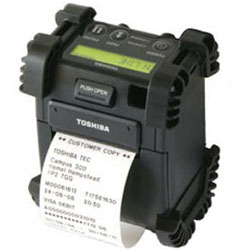
Toshiba B-EP2DL Ribbons - Wax, Wax/Resin & Resin
Review our FAQ section and step by step calibration instruction.
|
Printer Technology
Direct Thermal
|
||||||
|
|
Thermal Transfer Ribbon Supplies for Toshiba B-EP2DL Printer
FAQ for Toshiba B-EP2DL Ribbons
What label sizes work with Toshiba B-EP2DL?
What label sizes work with Toshiba B-EP2DL?
The Toshiba B-EP2DL supports labels up to 2.28" wide. Direct thermal labels come in various sizes for your application needs.
What type of labels does Toshiba B-EP2DL use?
What type of labels does Toshiba B-EP2DL use?
The Toshiba B-EP2DL uses direct thermal labels (no ribbon needed). These labels darken when heated.
Best for:
- Shipping labels
- Temporary tags
- Receipts
- Short-term barcodes
Note: Labels fade when exposed to heat or sunlight.
How do I calibrate the Toshiba B-EP2DL?
How do I calibrate the Toshiba B-EP2DL?
If your Toshiba B-EP2DL is skipping labels or printing incorrectly, calibration is needed:
- Turn off the printer
- Press and hold FEED button while turning on
- Wait for the status light to flash
- Release - the printer will feed labels to calibrate
This teaches the printer to detect label size and gaps. Calibrate when changing label sizes.
I am unsure what to choose.
I am unsure what to choose.
Contact us for help selecting the best compatible ribbon for your print application. Please let us know the following information so we can provide an informed answer.
- Printer brand and model
- How will the label be used, indoor or outdoor?
- Exposure to extreme environments, such as freezing temperature, oil and chemicals?