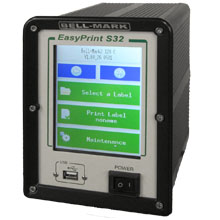
Bell-Mark EasyPrint S32 Thermal Printer Ribbons - Wax, Wax/Resin & Resin
A rugged multi-lane traversing thermal transfer printer designed for harsh environments, delivering 300 dpi coding at speeds up to 600 mm/sec (23.62 ips) across wide packaging webs.
Review our FAQ section and step by step calibration instruction.
|
Ink Side
Coated side in (CSI)
|
Printer Technology
Thermal Transfer
|
|||||||
|
|
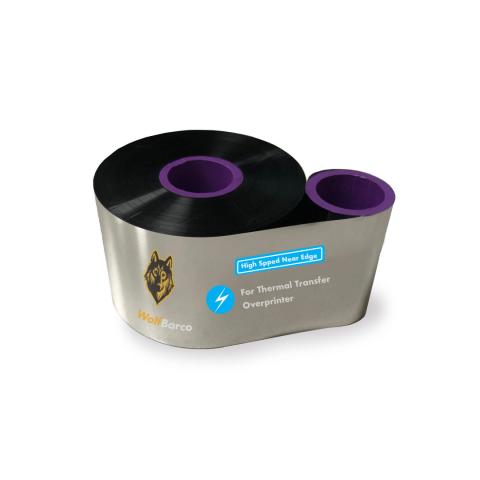
Thermal Transfer Ribbon Supplies for Bell-Mark EasyPrint S32 Thermal Printer Printer
Ribbon
FAQ for Bell-Mark EasyPrint S32 Thermal Printer Ribbons
What label sizes work with Bell-Mark EasyPrint S32?
What label sizes work with Bell-Mark EasyPrint S32?
The Bell-Mark EasyPrint S32 supports labels up to 2.1, 5.0" wide. Direct thermal labels come in various sizes for your application needs.
What type of labels does Bell-Mark EasyPrint S32 use?
What type of labels does Bell-Mark EasyPrint S32 use?
The Bell-Mark EasyPrint S32 uses direct thermal labels (no ribbon needed). These labels darken when heated.
Best for:
- Shipping labels
- Temporary tags
- Receipts
- Short-term barcodes
Note: Labels fade when exposed to heat or sunlight.
How do I calibrate the Bell-Mark EasyPrint S32?
How do I calibrate the Bell-Mark EasyPrint S32?
If your Bell-Mark EasyPrint S32 is skipping labels or printing incorrectly, calibration is needed:
- Turn off the printer
- Press and hold FEED button while turning on
- Wait for the status light to flash
- Release - the printer will feed labels to calibrate
This teaches the printer to detect label size and gaps. Calibrate when changing label sizes.
I am unsure what to choose.
I am unsure what to choose.
Contact us for help selecting the best compatible ribbon for your print application. Please let us know the following information so we can provide an informed answer.
- Printer brand and model
- How will the label be used, indoor or outdoor?
- Exposure to extreme environments, such as freezing temperature, oil and chemicals?